AstroScribe: Reports and Notes taking during Consultations
Write reports and take notes during consultations and research work, share them with clients in real time, and collaborate with other astrologers.
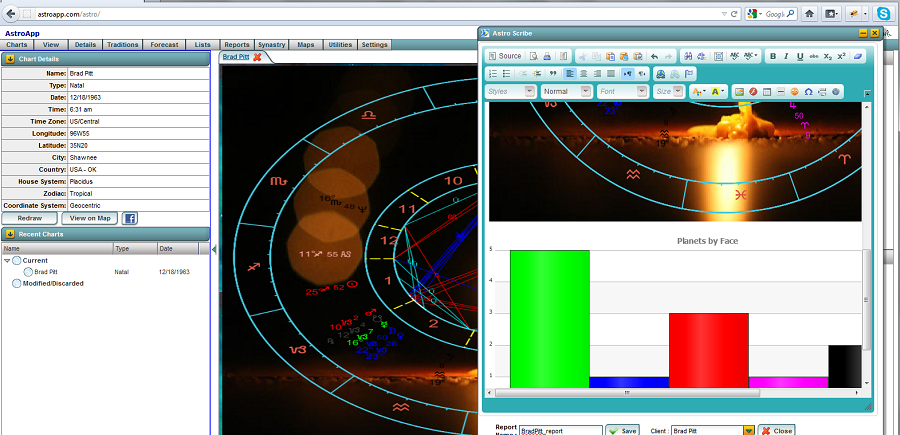
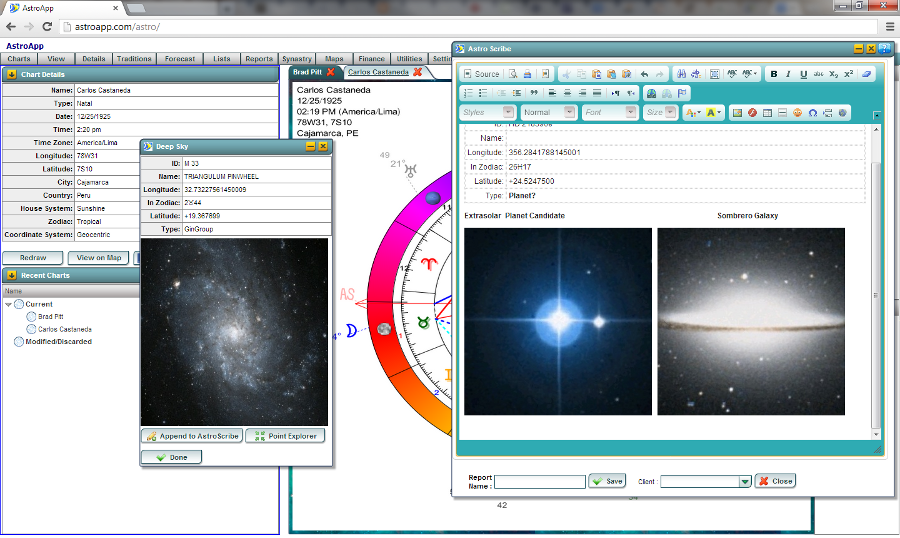
With AstroScribe you can write reports and take notes during a consultation or while you do research. Add any chart, table, or image to your report with a single click, wrap or add your text right around it, and let your clients watch you build it live.
Capturing and Writing
With a single click, capture anything on your screen, from dignities tables and transit lists to wheel charts or deep sky objects complete with photos. Everything flows right into your AstroScribe report. You can edit and format the text just like any document, keeping your session notes and client charts together in one place, saved neatly as HTML.
Sharing and Collaboration
You can share a report with your client in real time, so during a remote consultation session you both see the same document. You can also publish a report on social networks and blogs. AstroScribe is also a collaboration tool: you can share charts and notes with other AstroApp users. Multiple users can edit the report at the same time. This is also an invaluable tool for teachers and Astrology schools as you can build and demo reports in real time. How your AstroScribe notes and reports are shared can be configured in your privacy settings section.
Clients and Notes
Client Management keeps all your session notes, reports, and charts neatly organized under each client's profile. You can even embed a client portal right into your website so clients can view their reports online. To dive deeper into managing clients and setting up your appointments, head over to Chart Management, Calendars, Ephemeris, Tools.
Frequently Asked Questions
What can I add to a report?
Any chart, table, graph, map or picture on the screen, from any module, with one click.
Can the client see the report as I write it?
Yes. You can share a report in real time as you edit it.
Can several people work on one report?
Yes. More than one AstroApp user can update a shared report. Astrology schools use this for their students' work and collaboration.
Is AstroScribe in the Free edition?
Yes. AstroScribe is available in the Free edition. Subscribers of the Traditional Basic, Pro and Financial Gold editions can exchange shared reports.
See Also
- Interpretation Reports, for reports AstroApp writes for you
- Pages and Portals
- Chart Management, Calendars, Ephemeris, Tools