Pages and Portals: Design Your Own Screens
Design your own working screens with the Page Designer and the Portal Designer, or start from the predefined Pages and Portals for traditional, Vedic and 13 Signs astrology.
You can design your own screens, with the charts, tables and graphs you use together arranged the way you want them. In the Page Designer you choose from more than 150 objects. With the Portal Designer, the newer of the two tools, you build a live working screen by drag and drop and see the data while you build. AstroApp also includes predefined Pages and Portals for traditional astrology, Vedic astrology, the 13 Signs zodiac, cosmobiology and midpoints, and chart statistics.
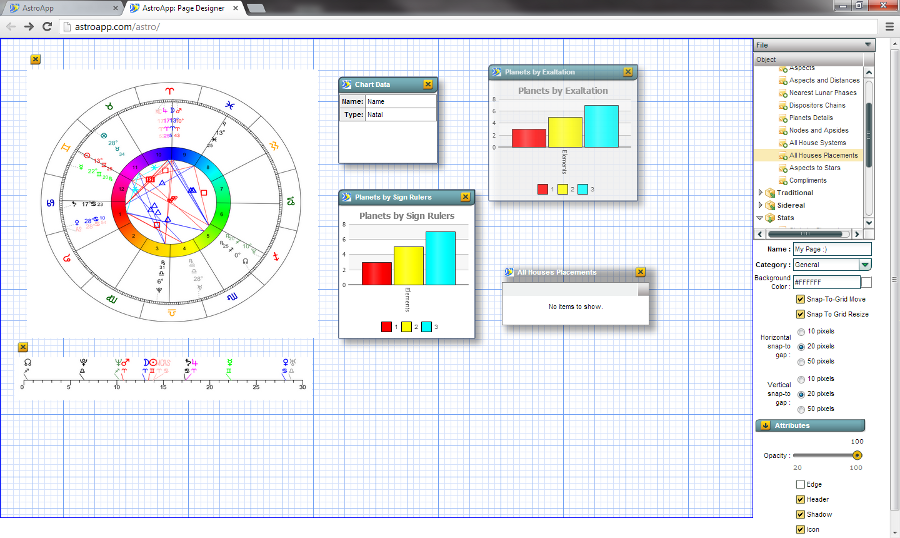
The Page Designer
In the Page Designer you can place chart wheels, tables, graphs, images and text on a page. You set each object's shadow, border, header, icon, size, position and transparency, so you can also layer objects on top of each other. You drag and drop the objects, align them by hand or let AstroApp align them to the pixel, and resize them vertically and horizontally to the pixel. You can use a color or your own picture as the page background, which is how you make art pages. The objects cover every part of AstroApp, including the vertical zodiac, the lunar mansions and the Vedic tables, with 100 Vedic components alone.
Portals and the Portal Designer
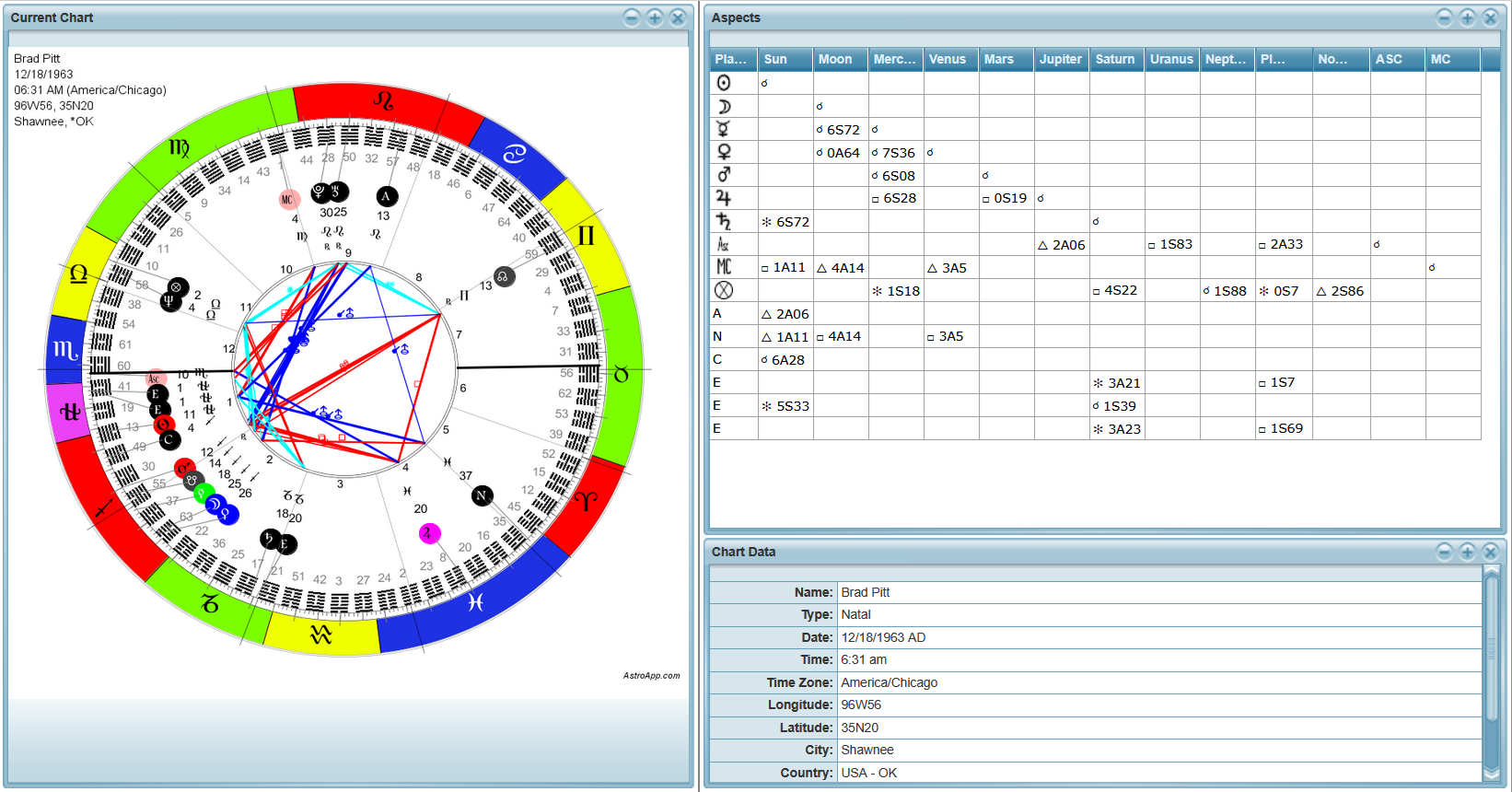
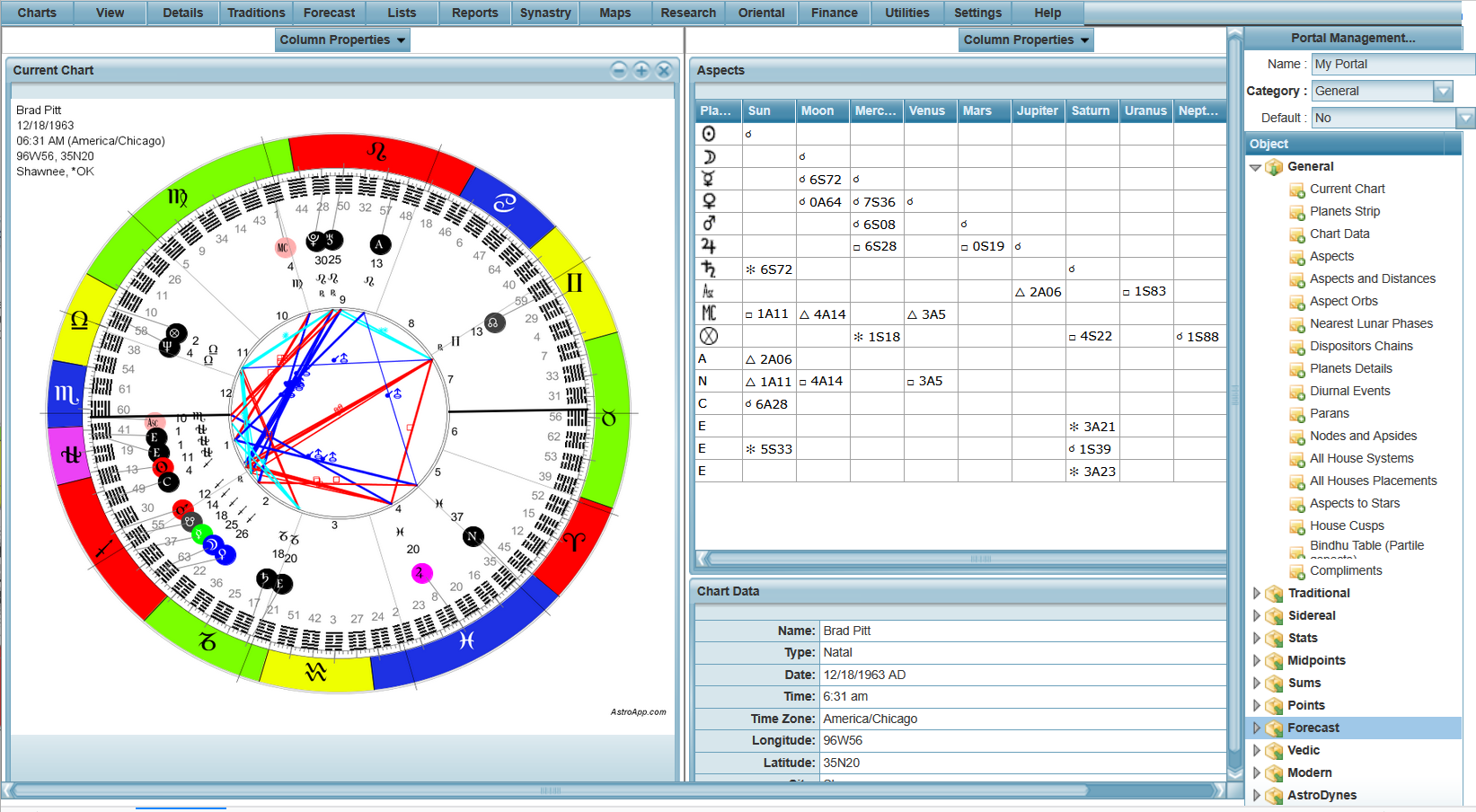
A portal is a working screen made of portlets. A portlet can be any AstroApp component, such as a live chart, table, graph, or a timeline. The Portal Designer lets you build your portal visually: just drag, drop, and merge rows or columns while looking at your live data. From the portal itself, with or without opening the designer, you can replace a portlet, toggle a portlet view between graph and table, and change the dates, charts and parameters of the portlets. The election date selector moves every portlet of a portal to the same date. AstroApp includes 13 predefined Vedic Portals, built from 121 Vedic portlets, and for elections you can use the Essential Dignities Timeline portlet.
Predefined Pages
You can use the predefined Pages as they are, or as starting points for creating your own:
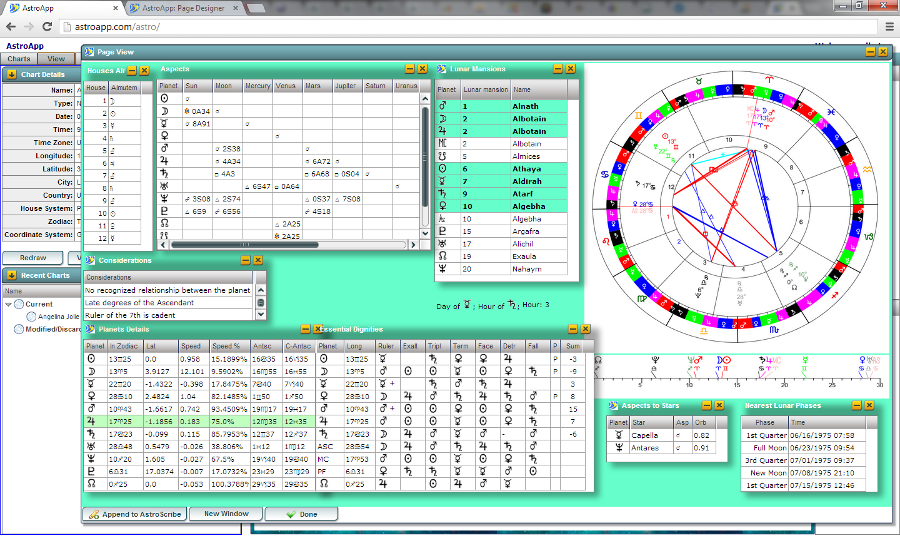
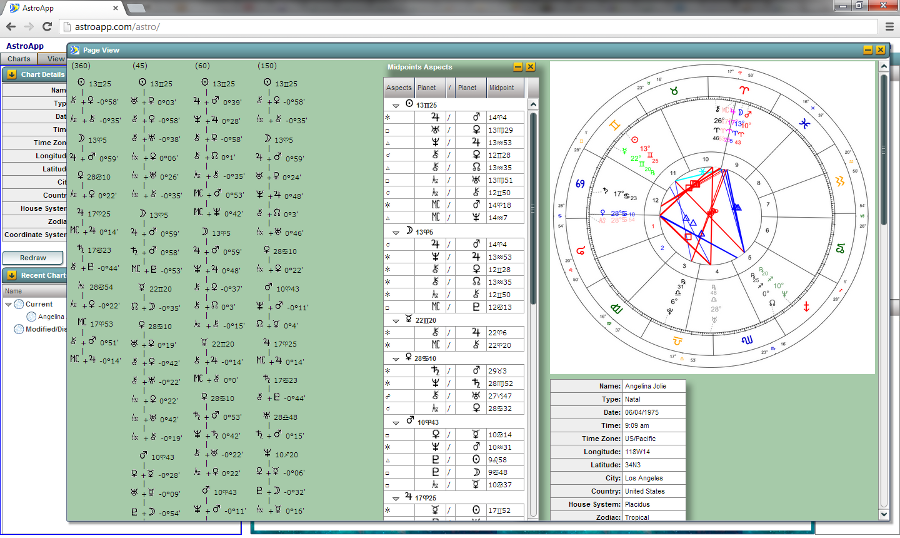
- Traditional Astrology Page, with the dignities, receptions, lunar mansions, planetary hours and the Election module
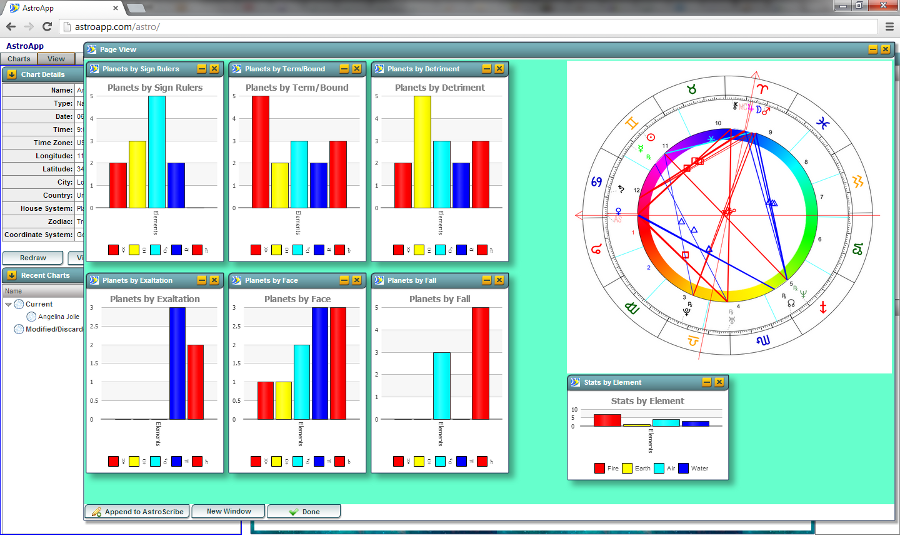
- All Stats Page, with the chart statistics
- Vedic Page, and the 13 Vedic Portals
- 13 Signs Zodiac Page
- Cosmobiology and Midpoints Collection Page
- Generalized Planetary Hours Page
- Basic Art Page, with a picture as its background
Frequently Asked Questions
What is the difference between a page and a portal?
Think of a page as a rigid, pixel-perfect layout. A portal, on the other hand, is a flexible grid of live widgets that you can customize, swap out, and re-arrange right on your screen.
How many objects can I put on a page?
As many as you like, from more than 150 types, each with its own border, header, shadow, size, position and transparency settings.
Can I use my own picture as a page background?
Yes. You can customize the background color and use your own uploaded picture as the page background.
Can I modify Pages or Portals shipped with AstroApp?
Yes. Open any predefined Page or Portal in the designer, make your changes, and save the result as your own.
See Also
- Tutorial 17: the portals editor
- Vedic astrology, for the 13 Vedic portals
- AstroScribe and User settings